


The iPhone 13 Pro, with its stunning ProMotion display, was a technological marvel at launch. However, a frustrating issue has emerged for a number of users: the screen suddenly turning green, white, or becoming completely unresponsive. This problem can be alarming, especially on a premium device, but it’s important to know what’s happening and what you can do about it.
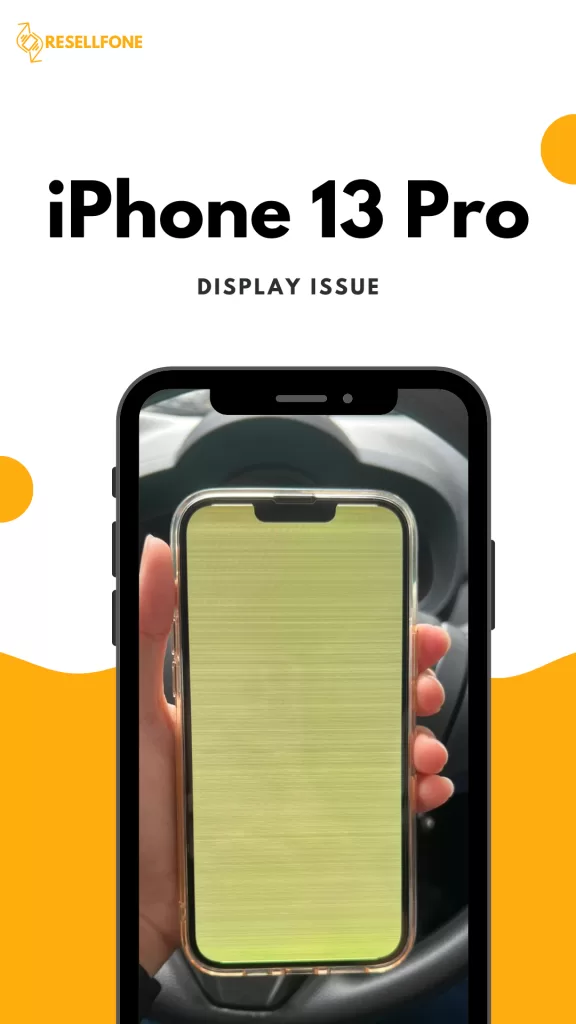
This blog post will guide you through the problem and its potential solutions, and also present a simple, stress-free alternative.
What to Do After Facing This Issue
Facing a blank or discolored screen can be a moment of panic, but don’t worry. Here are the first steps you should take:
Force Restart Your iPhone: This is the most basic troubleshooting step and can often resolve minor software glitches.
- Press and quickly release the volume up button.
- Press and quickly release the volume down button.
- Press and hold the side button until the Apple logo appears.
Back Up Your Data: If the force restart doesn’t work but your phone still seems to be running (you can hear notifications or feel haptics), back up your data immediately. Use a computer and iTunes or Finder to create a backup, as you never know when the phone might stop responding completely.
Check for Software Updates: Connect your phone to a computer and check for any pending iOS updates. Sometimes, these issues can be related to a bug that a new software version might fix.
How to Resolve the Issue
If the basic troubleshooting steps don’t work, the problem is likely a hardware fault, specifically with the display’s flex cable. Unfortunately, a repair is often the only way to fix it.
- Official Repair: You can take your iPhone to an Apple Store or an Authorized Service Provider. If your phone is still under warranty, the repair might be free. However, if the warranty has expired, the cost of an official screen replacement can be very high, often exceeding a significant percentage of the phone’s original value.
- Third-Party Repair: Many independent repair shops offer to fix the display issue, sometimes using specialized micro-soldering techniques to repair the flex cable instead of replacing the entire screen. This can be a cheaper option, but it comes with a few risks, such as losing Face ID functionality or the repair not being a permanent fix.
Sell Your iPhone 13 Pro to Resellfone
A costly repair is not your only option. If your iPhone 13 Pro display is of no use, you might think the phone is worthless, but that’s not the case. The phone still holds value, and attempting a repair could be more hassle than it’s worth.
This is where Resellfone comes in. We provide a simple and financially smart solution. Instead of spending money on a potentially risky repair, you can turn your faulty device into instant cash and put that money towards a new phone.
Why sell your iPhone 13 Pro to Resellfone?
- Get Instant Cash and a Fair Value: We understand the underlying issue and will provide you with a fair and competitive quote for your iPhone 13 Pro, even with the display problem. You don’t have to worry about the hassle of finding a private buyer for a faulty device.
- Hassle-Free Process: Our process is simple and stress-free. Get a quote online, and we will handle the rest with our free doorstep pickup service.
- Proper Bill of Purchase: We ensure a secure transaction and provide you with a proper bill of purchase, offering complete transparency and peace of mind.
Also Read:- Why a Bill of Sale is Crucial When You Sell Your Phone
Conclusion
Facing a display issue with your iPhone 13 Pro is a frustrating experience, but it doesn’t have to be a financial burden. Instead of navigating expensive and uncertain repair options, consider a smarter alternative. By selling your iPhone 13 Pro to Resellfone, you can get instant cash and a fair value for your device. It’s the easiest and most effective way to solve the problem and move forward with your next upgrade.